This page discusses how to use MASM, and is based on Getting Started with MASM and Visual Studio 2026 from Kip Irvine:
- Download and Install Microsoft Visual Studio Community. Visual Studio Community is a fully-featured, extensible, free IDE (Integrated Development Environment) for creating modern applications for Android, iOS, Windows, as well as web applications and cloud services.
- Enable MASM in a C++ Project if Needed. Using the Microsoft Macro Assembler (MASM) in Visual Studio requires enabling specialized build rules for your project. Because Visual Studio is primarily a C++ IDE, MASM is included within the C++ workload. If you cannot find MASM in Visual Studio Community, it is likely because the workload is missing or the project has not been configured to recognize assembly files. Take the following steps:
- Open the Visual Studio Installer.
- Select on your Visual Studio Community installation.
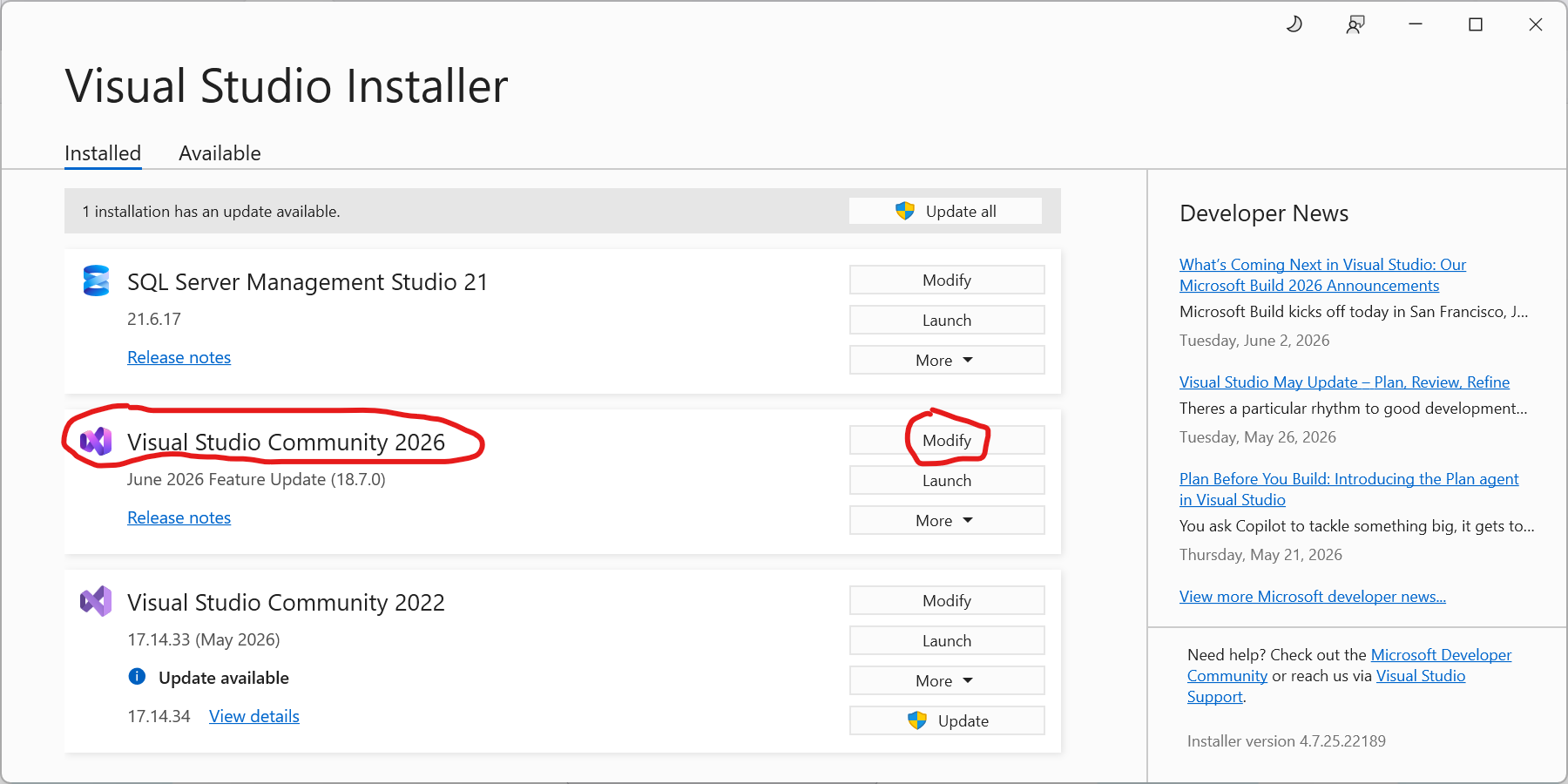
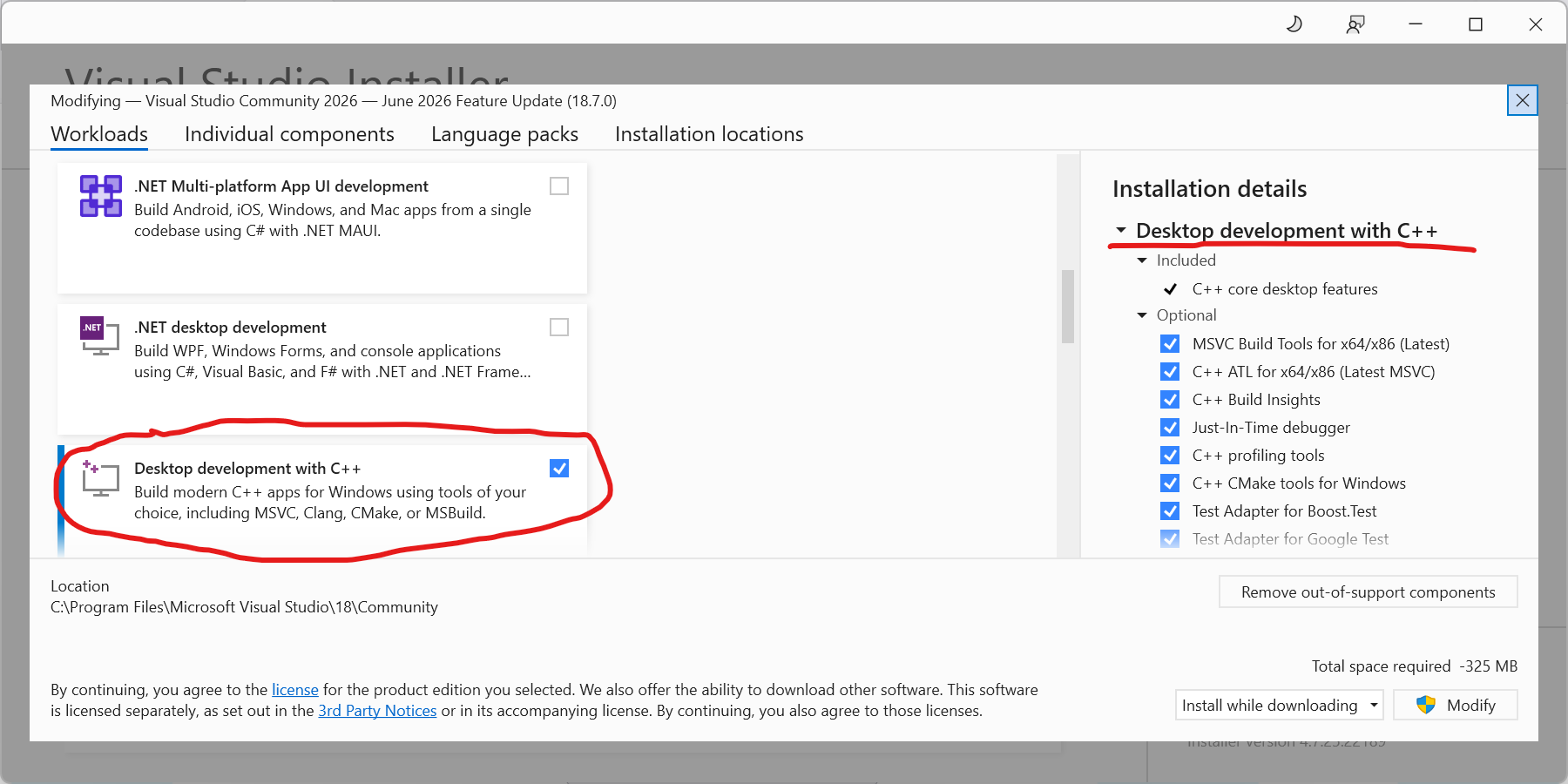
- Check the box for .
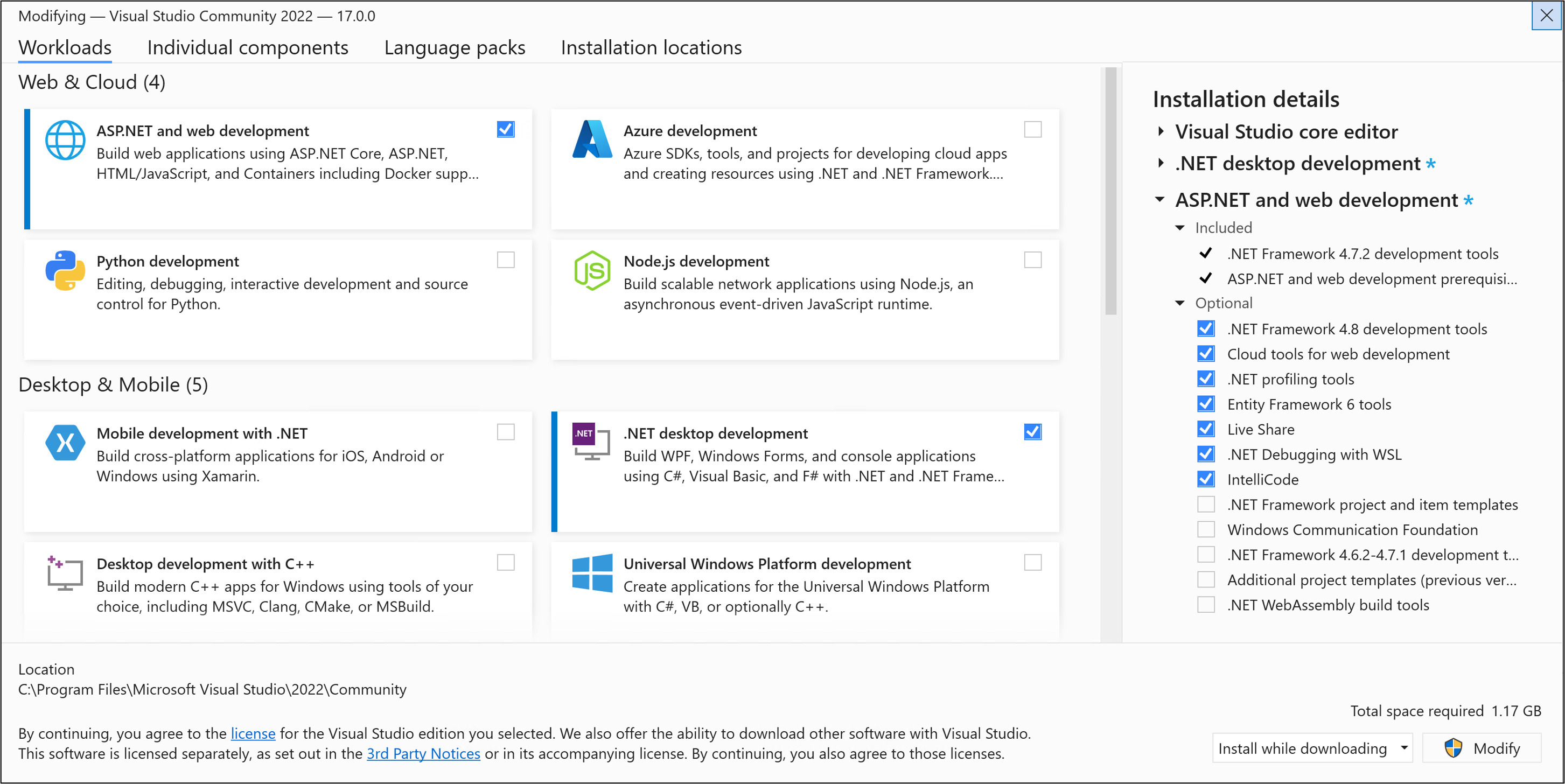
- Download and Install the Three Zip Files from GitHub project page: The page includes the following three zip files:
- : Code examples and required libraries
- : Sample 32-bit Visual Studio 2026 project, configured for assembly language
- : Sample 64-bit Visual Studio 2026 project, configured for assembly language
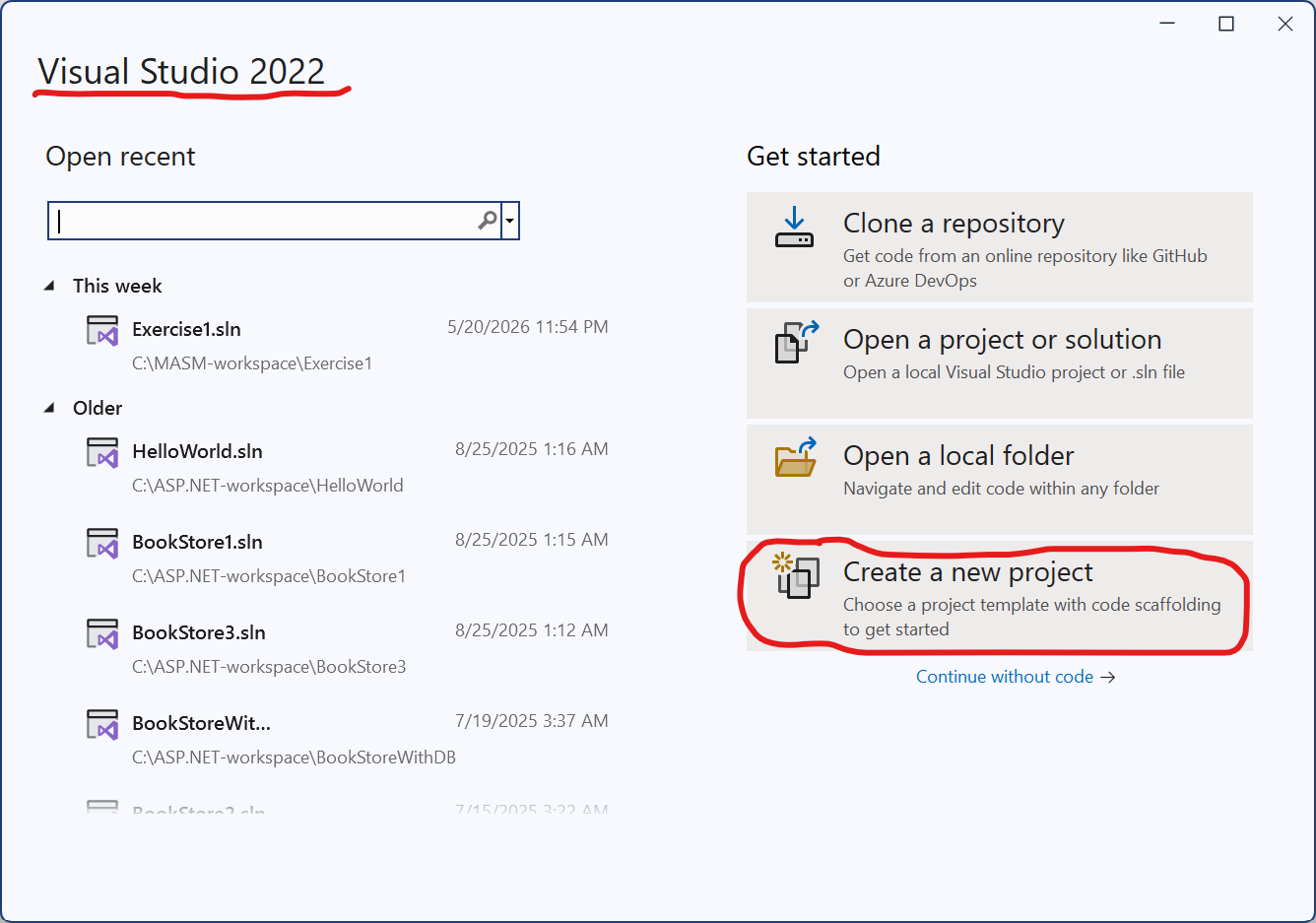
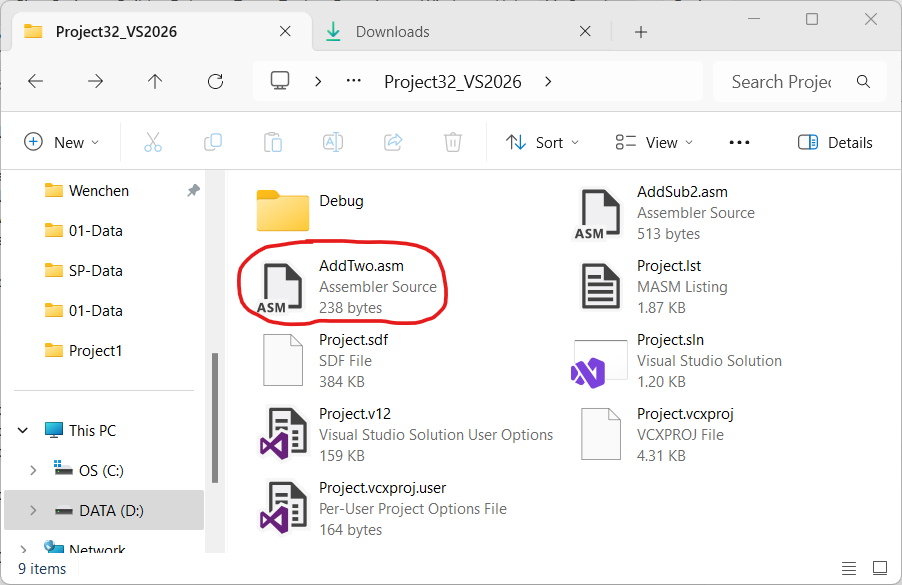
- Create a Project. Copy the project folder from Irvine to a new project folder like :
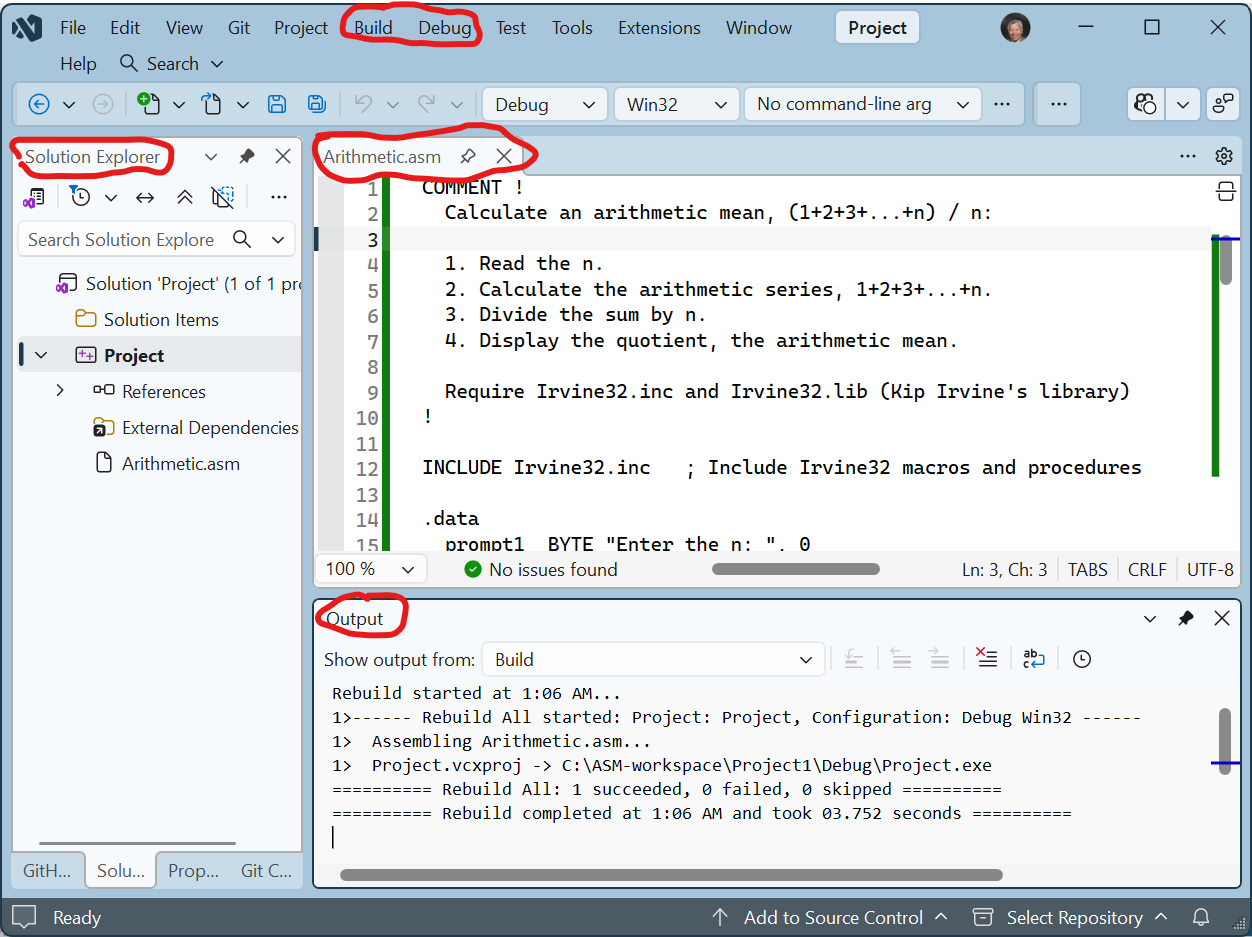
- Build the Project.
- Debug the Project.
Unzip the and put the files in the folder :
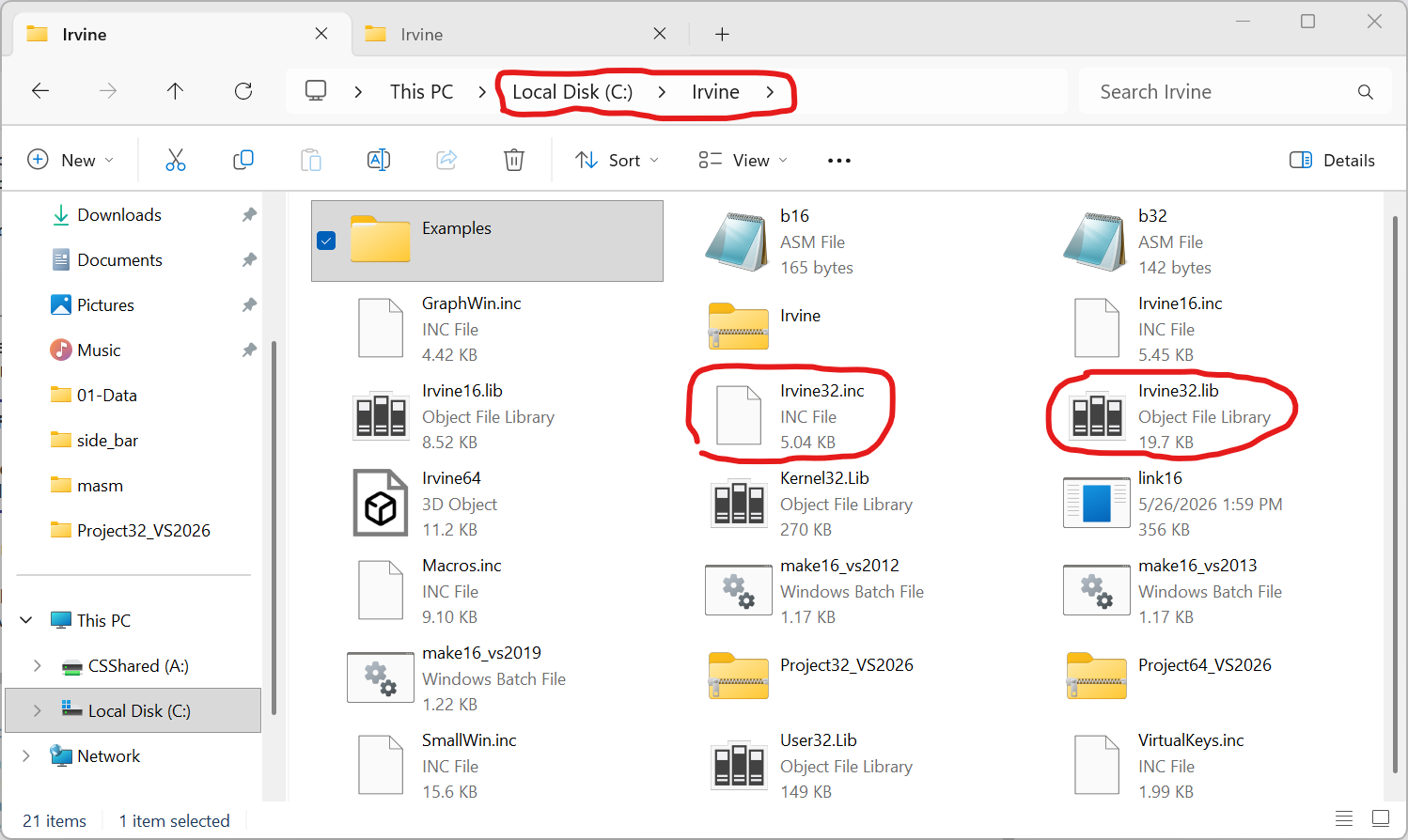
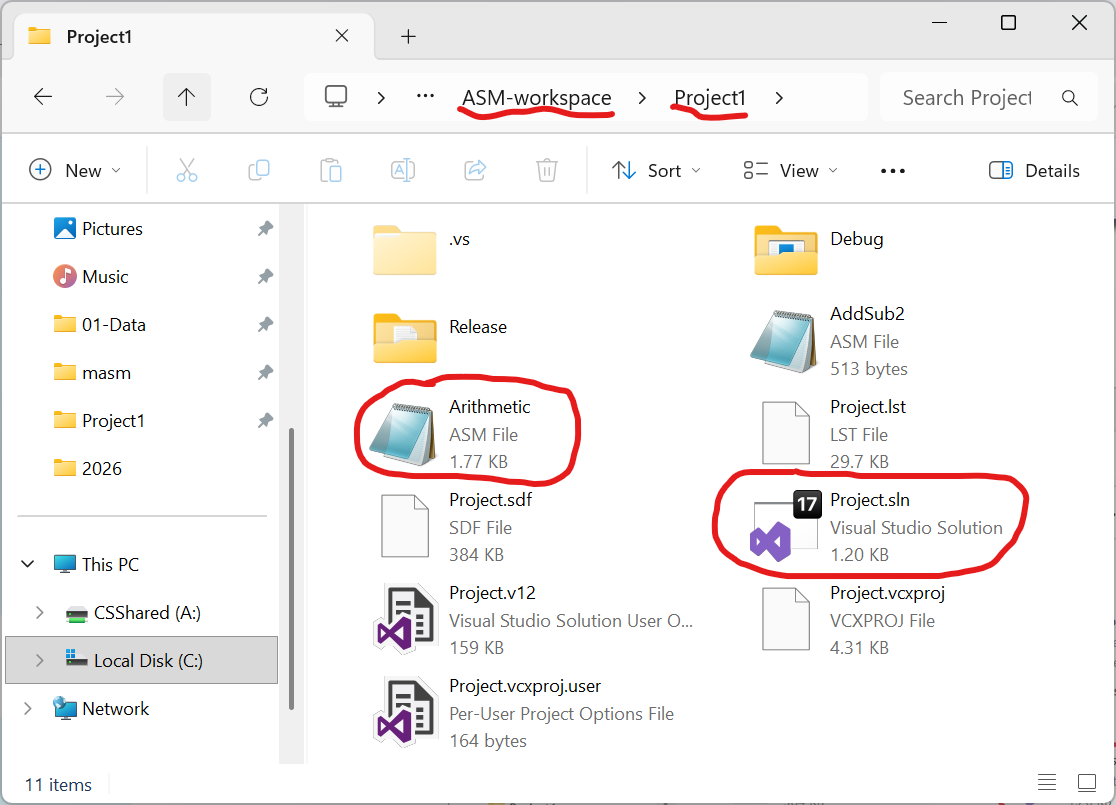
Replace the file by :
|
|
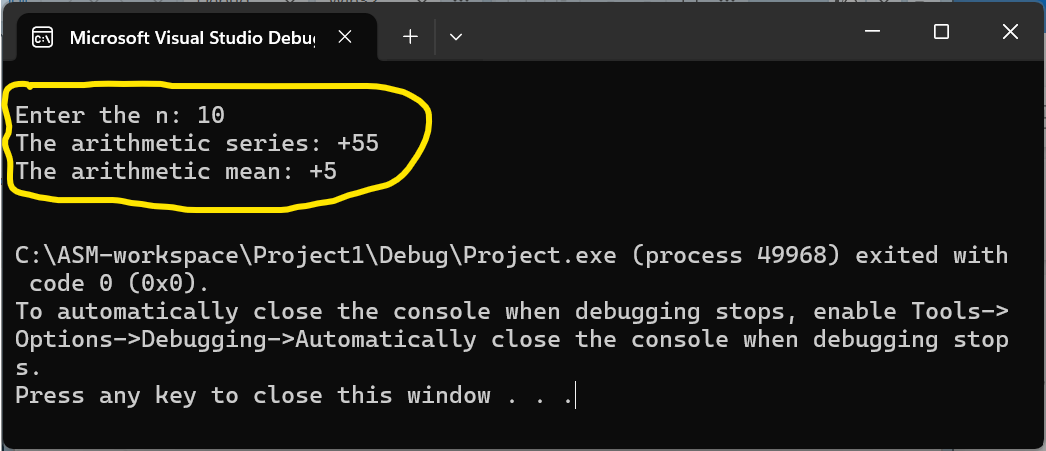
COMMENT ! Calculate an arithmetic mean, (1+2+3+...+n) / n: 1. Read the n. 2. Calculate the arithmetic series, 1+2+3+...+n. 3. Divide the sum by n. 4. Display the quotient, the arithmetic mean. Require Irvine32.inc and Irvine32.lib (Kip Irvine's library) ! INCLUDE Irvine32.inc ; Include Irvine32 macros and procedures .data prompt1 BYTE "Enter the n: ", 0 prompt2 BYTE "The arithmetic series: ", 0 prompt3 BYTE "The arithmetic mean: ", 0 n SDWORD ? result SDWORD 0 .code main PROC call Crlf ; New line ; Read the n mov edx, OFFSET prompt1 call WriteString call ReadInt mov n, eax ; n = eax mov ebx, eax ; ebx = eax ; Calculate the aritmetic series Loop1: cmp ebx, 0 ; ebx: n je Divide ; if ( n == 0 ) goto Divide mov eax, result ; eax = result add eax, ebx ; eax = result + n mov result, eax ; result = eax mov eax, ebx ; eax = n sub eax, 1 ; n = n - 1 mov ebx, eax ; ebx = n jmp Loop1 Divide: ; Print the aritmetic series mov edx, OFFSET prompt2 call WriteString mov eax, result call WriteInt call Crlf ; Calculate the aritmetic mean mov eax, result ; eax = sum mov ebx, n ; ebx = n xor edx, edx ; clear edx div ebx ; eax = sum / n mov result, eax ; result = eax ; Print the aritmetic mean mov edx, OFFSET prompt3 call WriteString mov eax, result call WriteInt call Crlf call Crlf exit ; Exit to operating system main ENDP END main |
|
|
|
|
†The white italic text with a navy background color is entered by users.
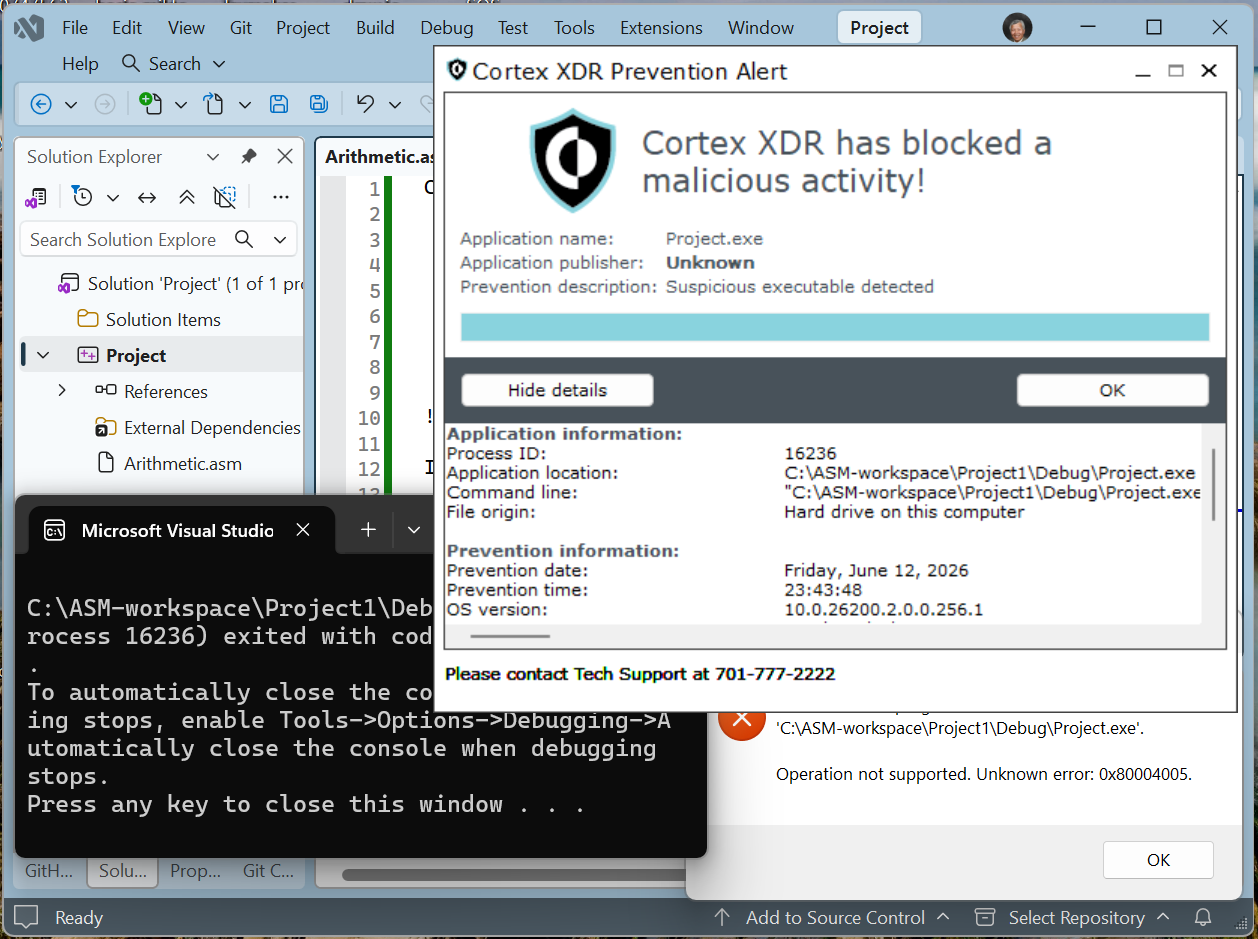
If the error, Cortex XDR Prevention Alert, happens, it is because the UND prevents the code from being executed on the UND-owned machines. It needs the UIT (University Information Technology) to solve the problem.
|
“I was going to sail around the globe in the world’s smallest ship, but I bottled it.” — Mark Simmons |