MySQL Commands
- undcemcs01 and undcemcs02
-
-
Manage it via MySQL Workbench with the following credentials:
- Role: DBA
- Host:
undcemmysql.mysql.database.azure.com
- Port:
3306
- Username:
undcemadmin
- Schema:
information_schema, mysql, performance_schema, sys
For an individual account, manage it via MySQL Workbench with the following credentials:
- Role: user
- Host:
undcemmysql.mysql.database.azure.com
- Port:
3306
- Username:
wenchen
- Schema:
wenchen
- Useful commands
-
-
   show processlist;

   kill query *** Id ***;
- Creating users (DBA:
undcemadmin)
-
-
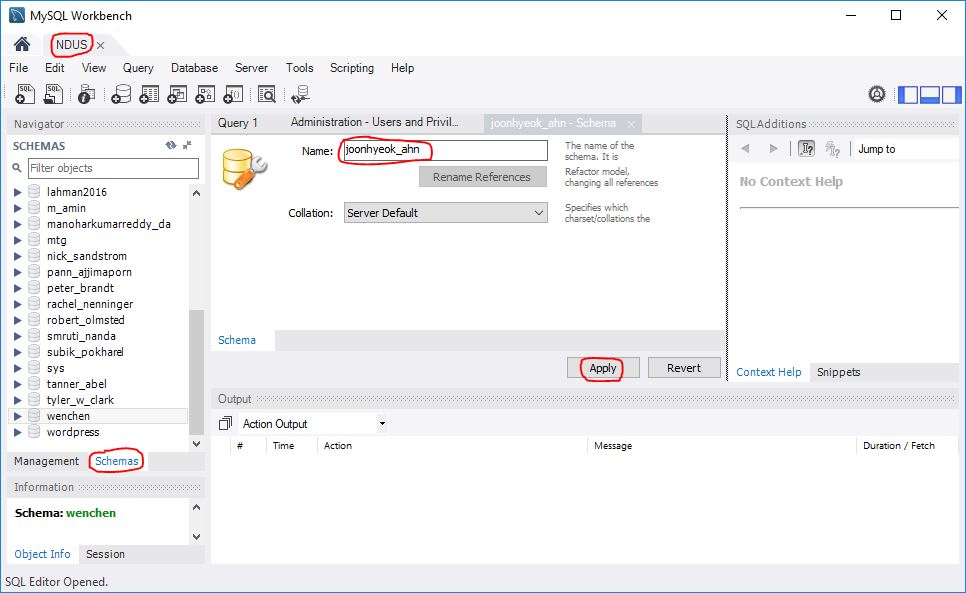
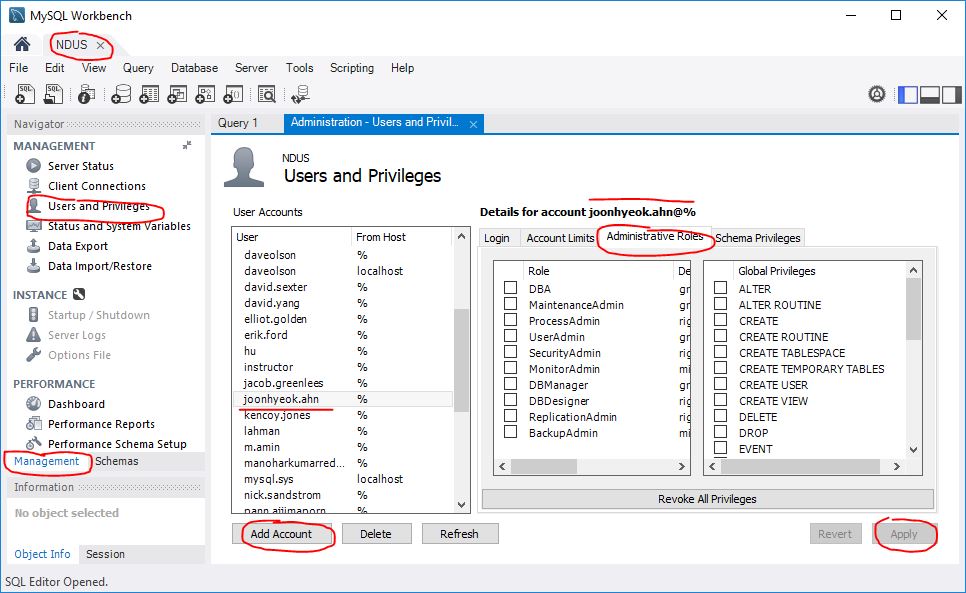
On the left pane:
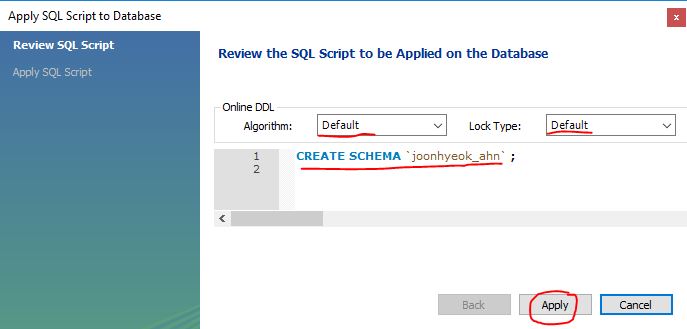
- Schema (right click the mouse):
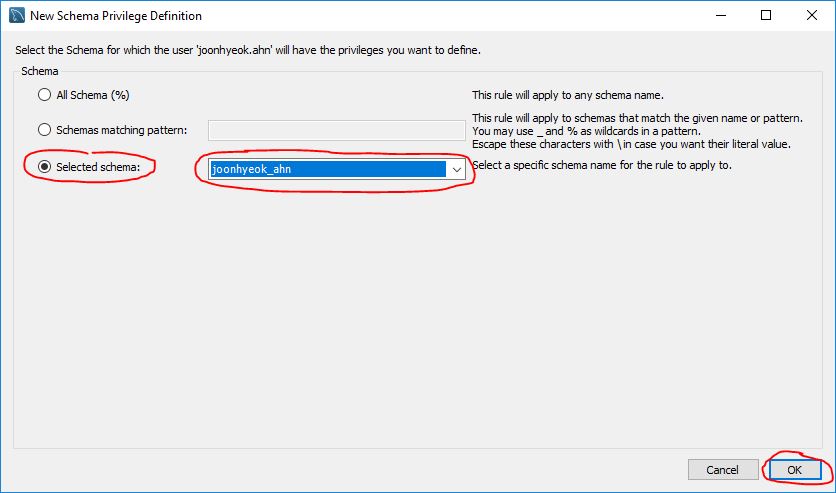
Create Schema: wenchen_hu (assuming the ID is wenchen.hu, for example)
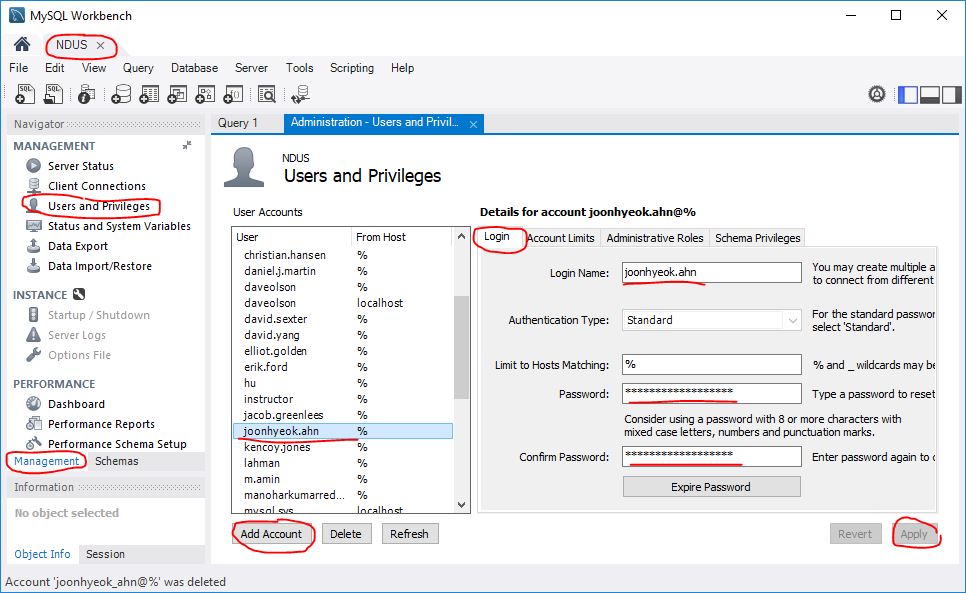
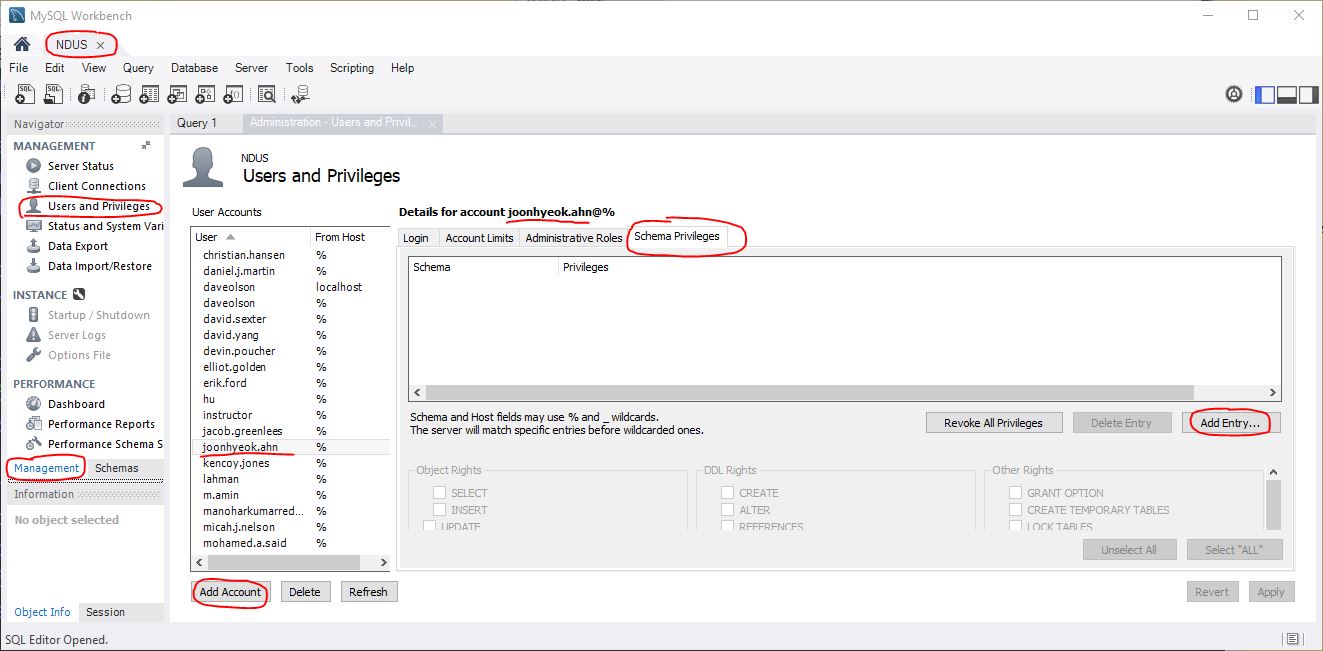
- Management: Users and Privileges
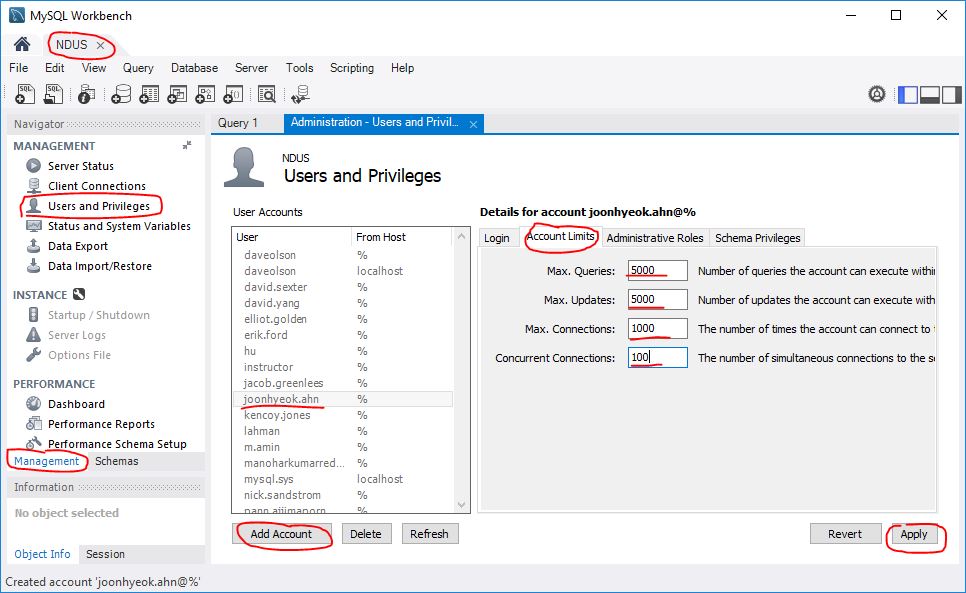
Parameters include:
- Max. Queries:
20,000
(Number of queries the account can execute within one hour.)
- Max. Updates:
20,000
(Number of updates the account can execute within one hour.)
- Max. Connections:
10,000
The number of times the account can connect to the server per hour.)
- Concurrent Connections:
1,000
(The number of simultaneous connections to the server the account can have.)
- Administrative Roles: None
- Schema Privileges:
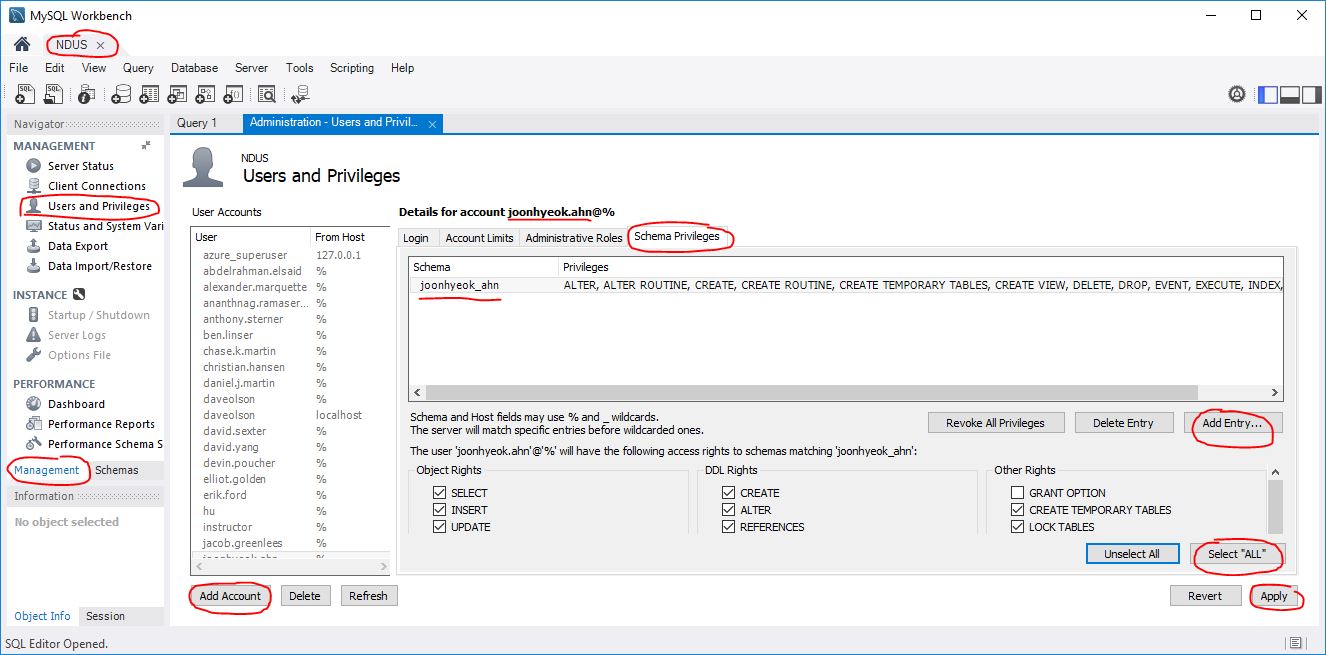
- Add Entry... and Select ALL
- Object Rights: SELECT, INSERT, UPDATE, DELETE, EXECUTE, SHOW VIEW
- DDL Rights: CREATE, ALTER, REFERENCES, INDEX, CREATE VIEW (CREATE ROUTINE), ALTER ROUTINE (EVENT, DROP), TRIGGER
- OTHER Rights: CREATE TEMPORARY TABLES, LOCK TABLES
- MySQLWorkbench
-
-
To extend the timeout of MySQLWorkbench:
- Launch the MySQLWorkbench.
- Edit ⇒ Preferences ⇒ SQL Editor
- Extend the values like
- Auto-save scripts interval:
30 seconds
(Interval to perform auto-saving of all open script tabs.
The scripts will be restored from the last auto-saved version
if Workbench unexpectedly quits.)
- DBMS connection keep-alive interval (in seconds):
6,000 seconds
(Time interval between sending keep-alive messages to DBMS.
Set to 0 to not send keep-alive messages.)
- DBMS connection read timeout interval (in seconds):
300 seconds
(The maximum amount of time the query can take to return data
from the DBMS.
Set 0 to skip the read timeout.)
- DBMS connection timeout interval (in seconds):
300 seconds
(Maximum time to wait before a connection attempt is aborted.)
- undcemcs01
-
-
Manage it via phpMyAdmin at:
with the following credentials:
- VPN:
gfdc-vpn.ndus.edu
- Username:
w_fac_hu_wen
- Server choice:
undmysqlappdb.und.edu
- Database (schema):
fac_hu_wen
Hide the password in password.php:
<?php
    $password = "password";
  ?>
In the main program, include the file:
include 'password.php';
- undcemcs02
-
-
Manage it via MySQL Workbench with the following credentials:
- Host:
undcsmysql.mysql.database.azure.com
- Port:
3306
- Username:
undcsadmin@undcsmysql
- Schema:
For an individual account, manage it via MySQL Workbench with the following credentials:
- Host:
undcsmysql.mysql.database.azure.com
- Port:
3306
- Username:
wenchen@undcsmysql
- Schema:
wenchen
- Useful commands
-
-
   show processlist;

   kill query *** Id ***;
- Creating users (superuser: undcsadmin@undcsmysql)
-
-
On the left pane:
- Schema (right click the mouse):
Create Schema: wenchen_hu (assuming the ID is wenchen.hu, for example)
- Management: Users and Privileges
Parameters include:
- Max. Queries:
20,000
(Number of queries the account can execute within one hour.)
- Max. Updates:
20,000
(Number of updates the account can execute within one hour.)
- Max. Connections:
10,000
The number of times the account can connect to the server per hour.)
- Concurrent Connections:
1,000
(The number of simultaneous connections to the server the account can have.)
- Administrative Roles: None
- Schema Privileges:
- Add Entry... and Select ALL
- Object Rights: SELECT, INSERT, UPDATE, DELETE, EXECUTE, SHOW VIEW
- DDL Rights: CREATE, ALTER, REFERENCES, INDEX, CREATE VIEW (CREATE ROUTINE), ALTER ROUTINE (EVENT, DROP), TRIGGER
- OTHER Rights: CREATE TEMPORARY TABLES, LOCK TABLES