This page is based on Connect to the SQL Server, and the following tools will be used:
- Microsoft Management Console at
C:/Windows/System32/services.msc
- SQL Server Configuration Manager at
C:/Windows/System32/mmc.exe
- Check the SSMS Help Pages.
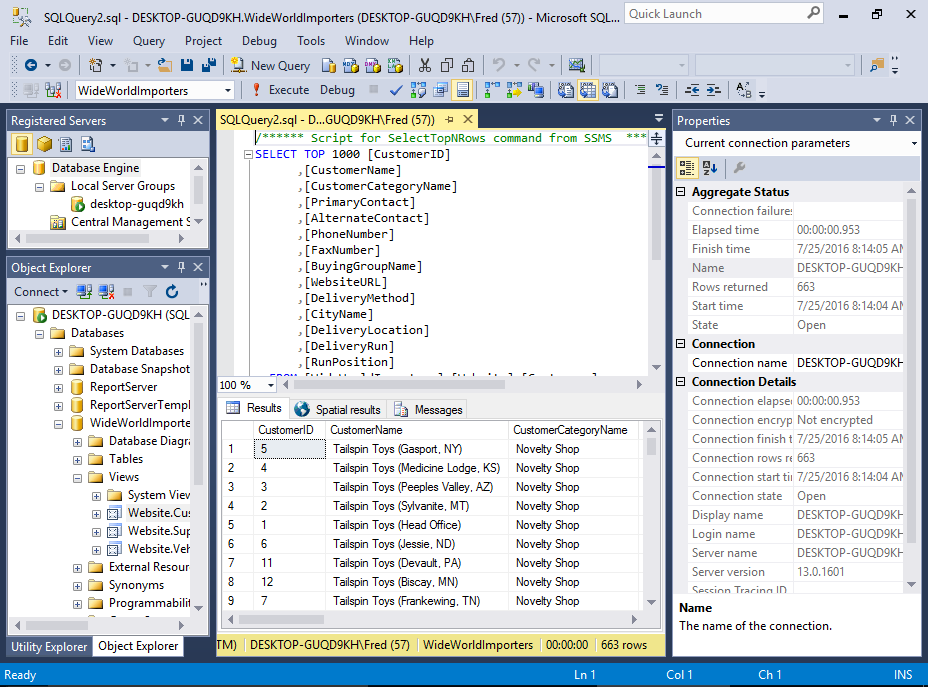
- Download and install SQL Server Management Studio (SSMS). SSMS is an integrated environment designed to manage any SQL infrastructure, including SQL Server. It provides a comprehensive utility that combines graphical tools with rich script editors.
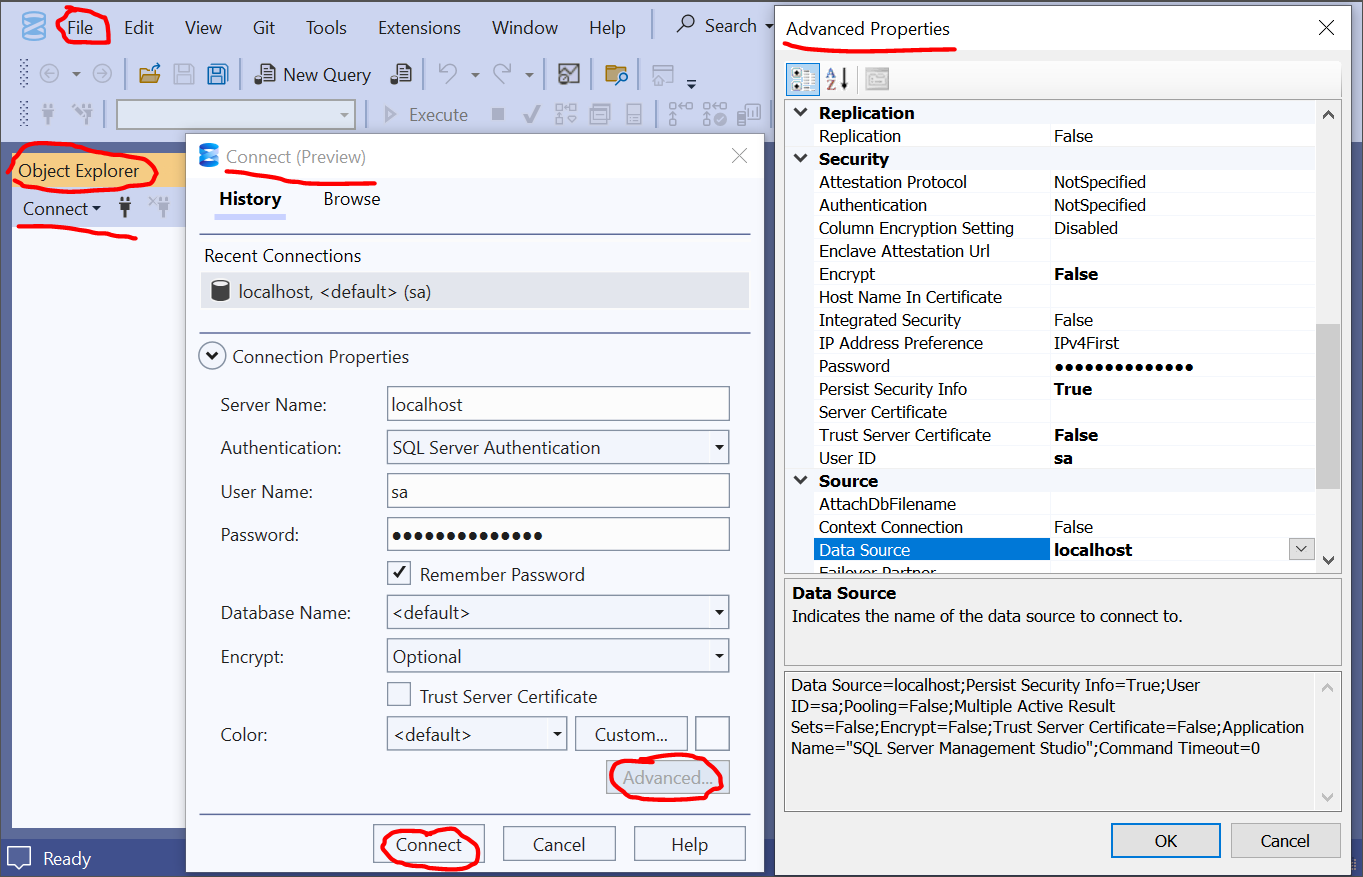
- Launch the SSMS. The following steps are based on Connect to the SQL Server.
- Default instance: If you installed SQL Server as a default instance, use your computer’s network name or simply or
- Named instance (e.g., SQL Express): You must specify the computer name followed by a backslash and the instance name (e.g., or ).
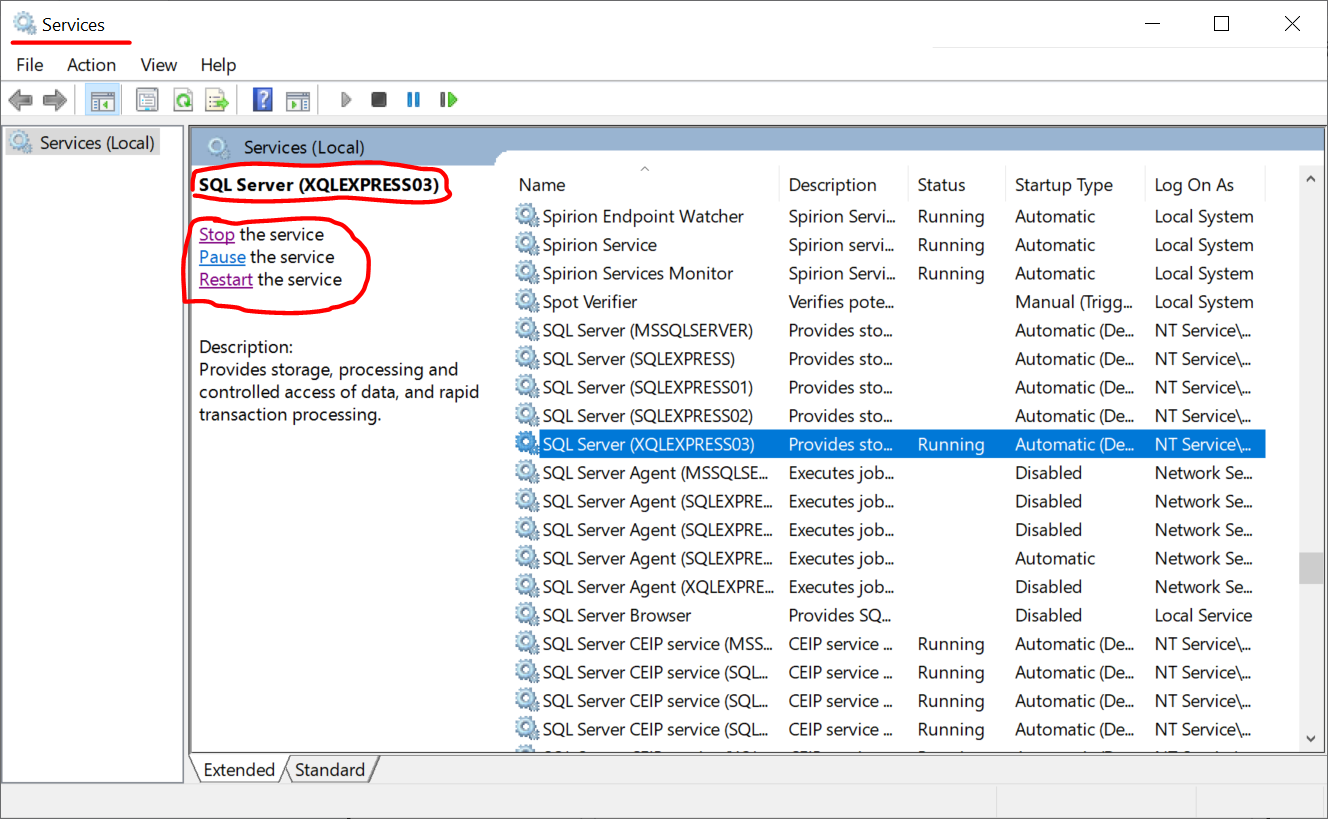
- Launch the Microsoft Management Console at
C:/Windows/System32/services.msc
and start the SQL Server instance, e.g., (typo of ), created when SQL Server setup:
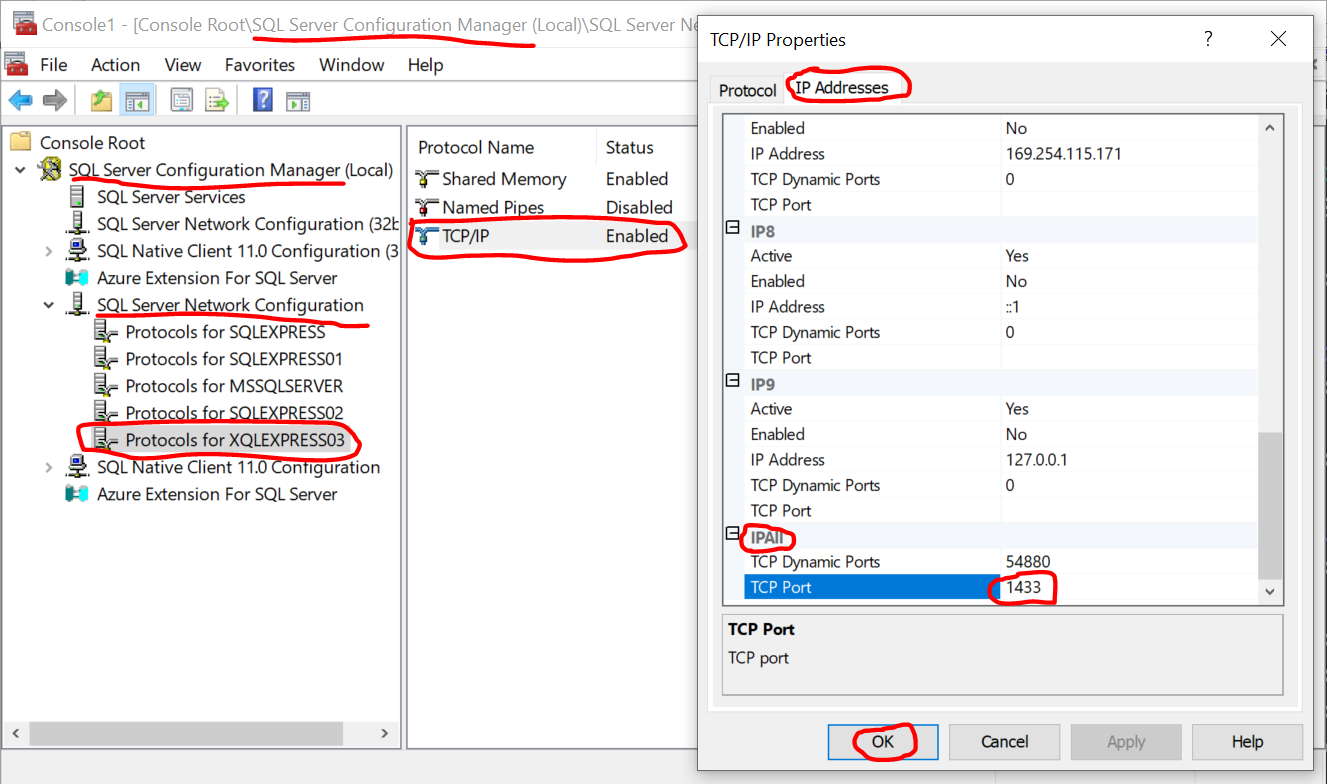
- Activate the SQL Server Configuration Manager at
C:/Windows/System32/mmc.exe
and configure the SQL Server Network by setting the TCP Port to 1433:
- Manage the SQL Server.
- Activate the SQL Server instance if it is not on yet.
- Launch the Microsoft Management Console at
C:/Windows/System32/services.msc
and start the SQL Server instance, e.g., (typo of ), created when SQL Server setup:
- Activate the SQL Server Configuration Manager at
C:/Windows/System32/mmc.exe
and configure the SQL Server Network by setting the TCP Port to :
- Launch the Microsoft Management Console at
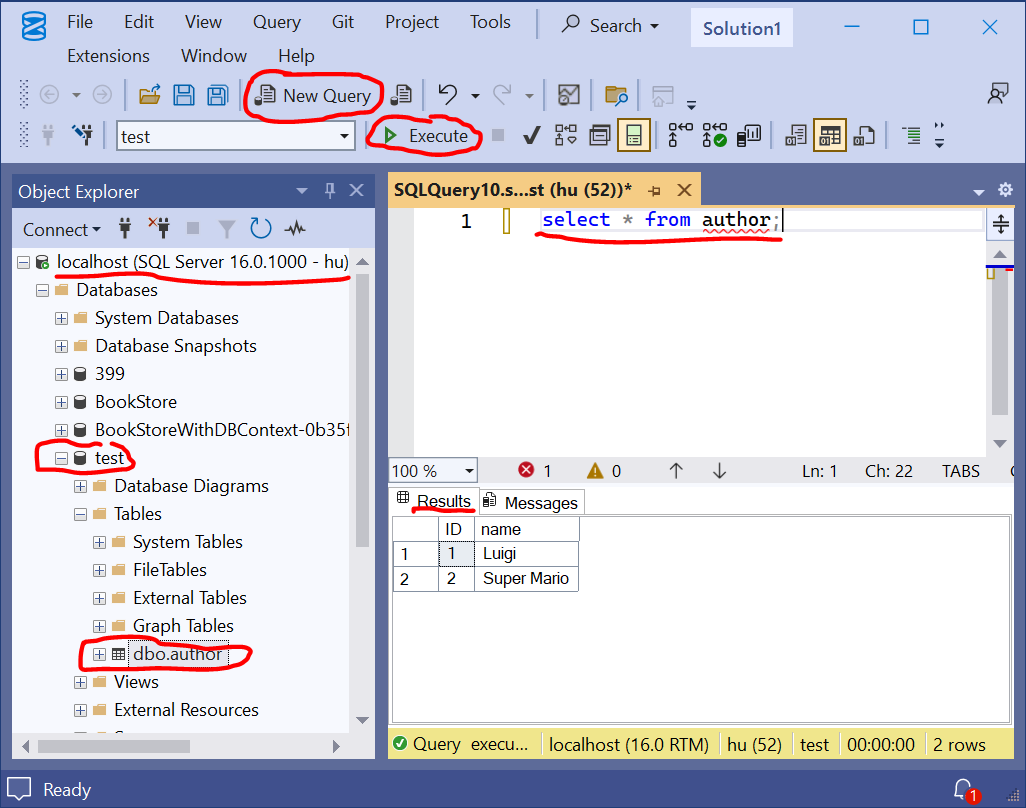
- Show the query interface:
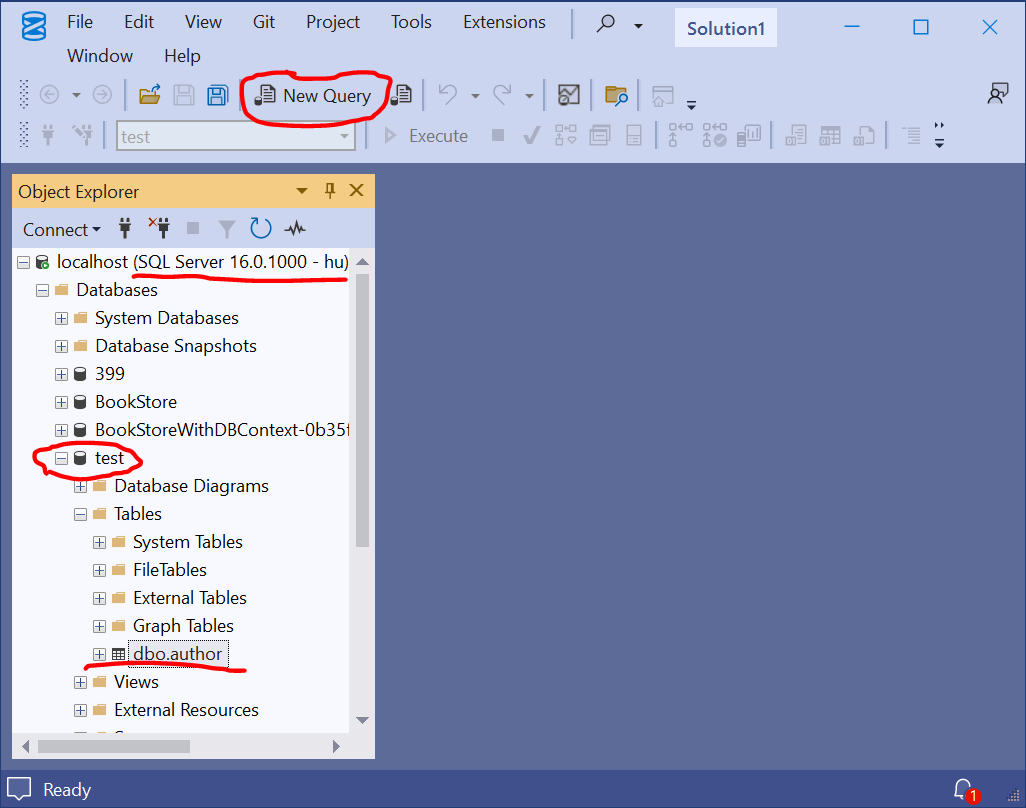
🡇New Query & Execute
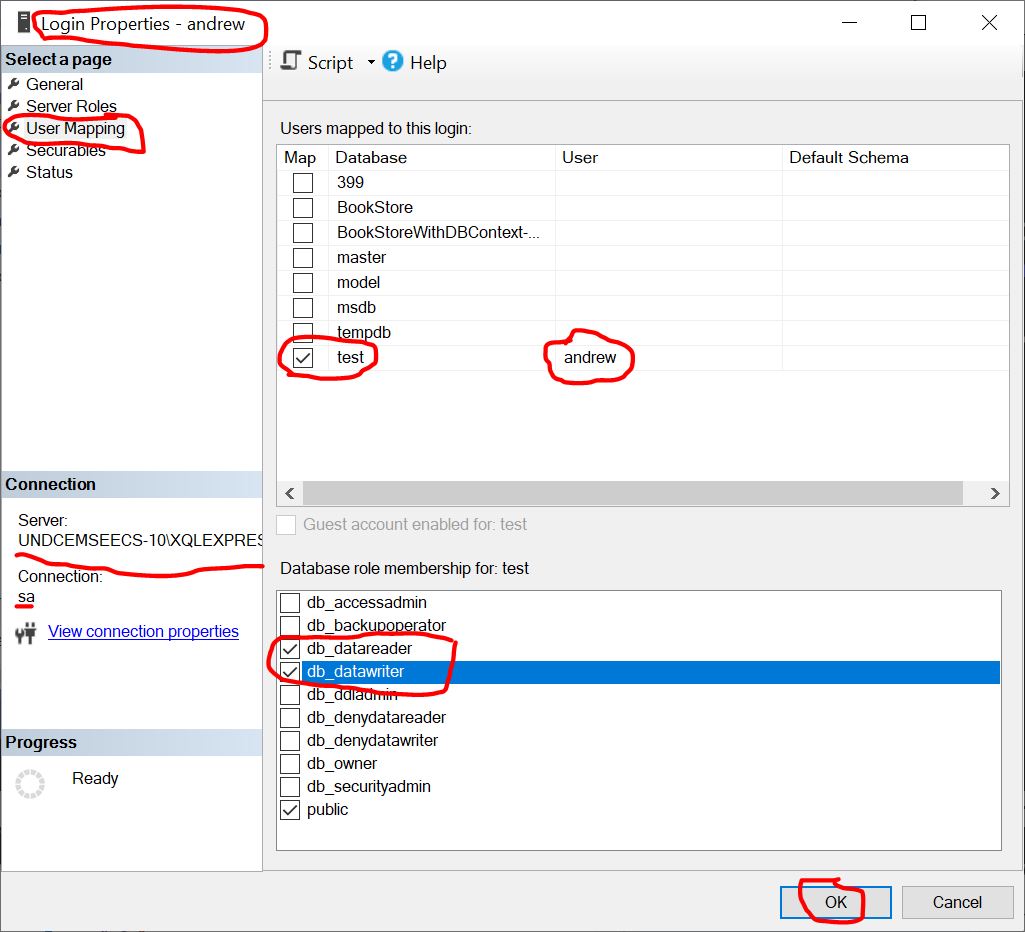
- Create a user:
-
This function is based on How to Create New Login in SQL Server.
The following list contains the standard fixed database roles and the default public role in SQL Server:
db_accessadmindb_backupoperatordb_datareaderdb_datawriterdb_ddladmindb_denydatareaderdb_denydatawriterdb_ownerdb_securityadminpublic
Security 🡆 Logins 🡆 New Login...
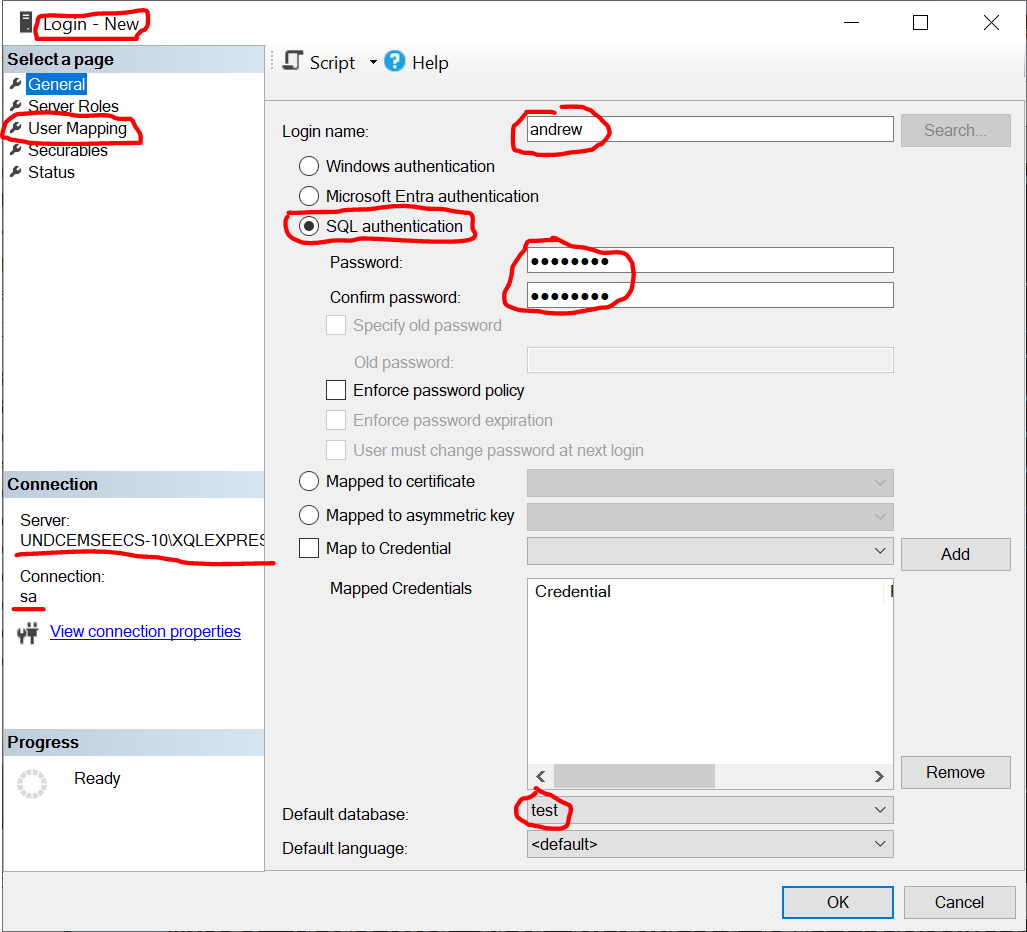
🡇New Query & Execute
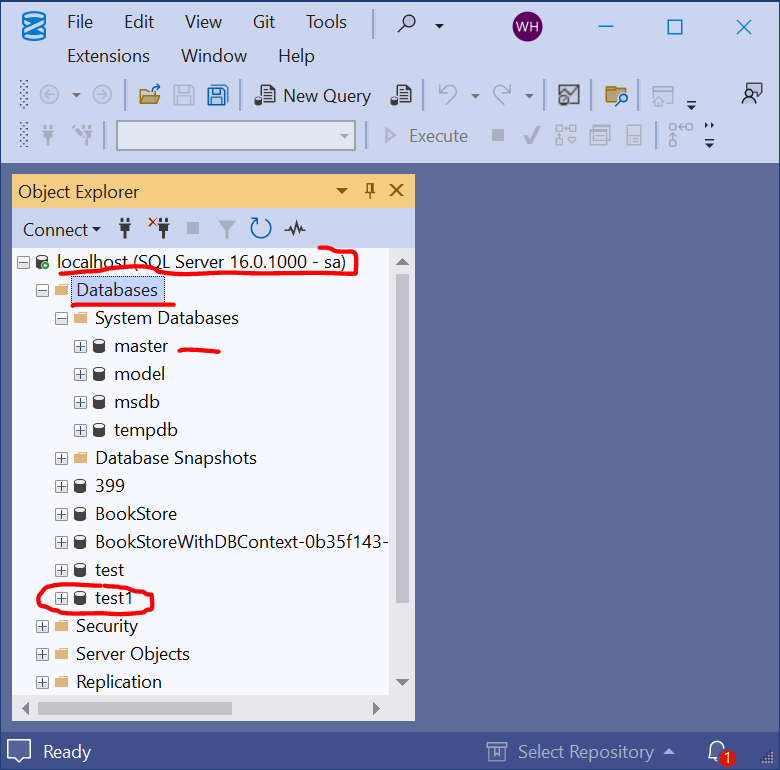
- Create a database:
Themasterdatabase in SQL Server is a critical system database that stores essential system-level information. It contains metadata about the SQL Server instance, such as logins, server configuration settings, linked servers, and the location of all other databases. Without the master database, SQL Server cannot start or function.
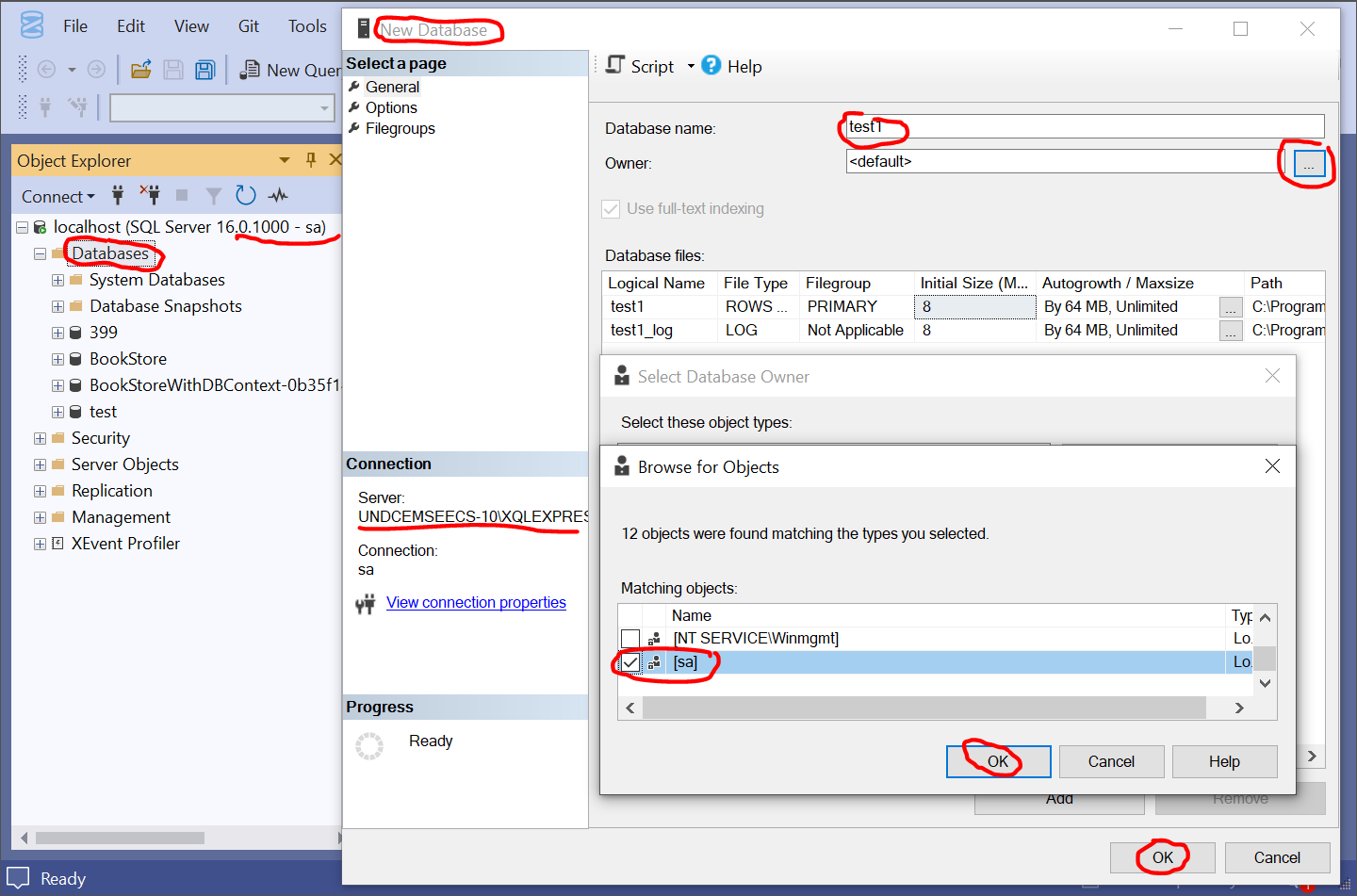
🡇New Query & Execute
|
|
was created when you customized your SQL Server installation.
could be: |
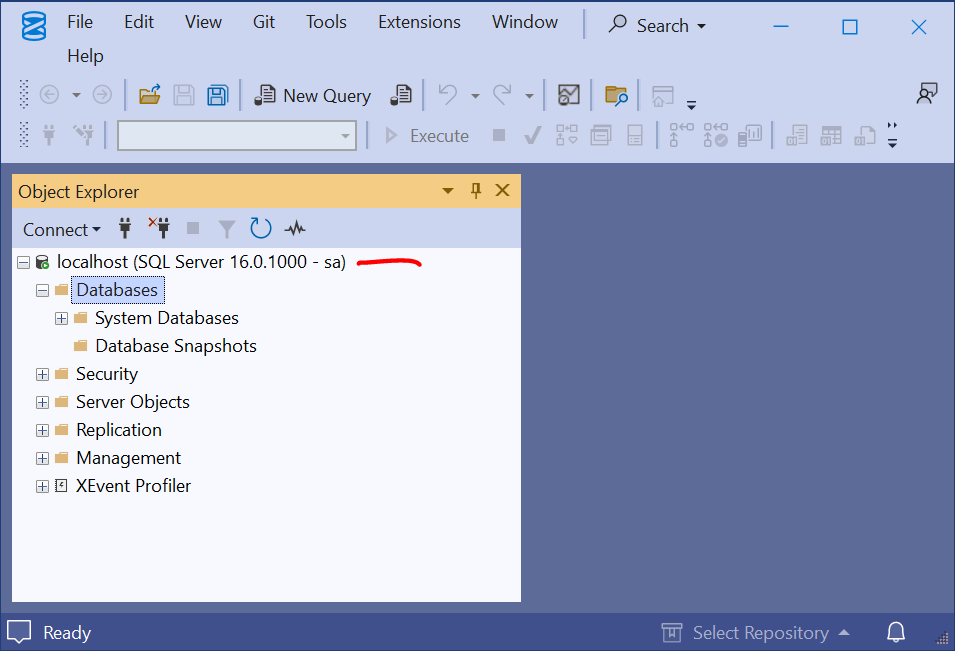
If the connection fails like
A network-related or instance-specific error occurred while establishing a connection to SQL Server. The server was not found or was not accessible. Verify that the instance name is correct and that SQL Server is configured to allow remote connections.Follow the steps below to fix the problem. The steps are based on:
|
“A lot of us think that we can stand on the side how the pond feels. And you really can’t. You’ve just got to jump in.” — Ina Garten |